
A digital kiosk in a retail store is not an aesthetic choice. It is a strategic decision that affects how you communicate, how you sell, and how you manage the customer’s time within your store.
Yet most retail projects fail for the same reason: hardware is purchased without a strategy. A screen is installed, a few promotional videos are uploaded, and after a few weeks the content becomes outdated, the kiosk turns into a piece of furniture, and the investment is forgotten.
This guide draws on years of hands-on experience in retail environments — from fashion and furniture to DIY stores — to help you understand what really works, where to install a kiosk, what to communicate, and how to avoid costly mistakes.
FURTHER READING
This guide focuses specifically on retail applications.
If you are looking for a complete overview of use cases, kiosk types and technologies, you may also want to read:
→ Multimedia kiosks: a complete guide for businesses → Digital advertising kiosks: the complete guide
1. Why retail stores have different requirements from other environments
Retail is one of the most complex environments in which to install a digital kiosk. Not because the technology is more difficult — but because there are many variables at play, and they all influence one another.
In a store, customers are constantly moving, their attention is fragmented, and they are surrounded by products, lighting, music and staff. The kiosk has to compete with all of this for just a few seconds of attention. And those few seconds need to be used effectively.
At the same time, retail is the one environment where a kiosk can directly influence a purchasing decision — not indirectly, as with corporate communication, but at the exact moment when the customer is deciding what to buy.
This is also where the Endless Aisle strategy comes into play as a way of extending the shopping experience and countering online competition.
In this context, the Endless Aisle strategy transforms the kiosk into an extension of the shopping experience: when a product is unavailable in store, customers can still find it, order it and complete their purchase without interruption, reducing lost sales and helping retailers compete with online alternatives.
DATA
A strategically positioned digital display in a retail store can increase average customer dwell time by 33% (source: Scala/DSI Europe). Dwell time is one of the key predictors of average transaction value in physical retail.
This combination — intense competition for attention and high potential to influence purchasing decisions — makes retail an environment where kiosk design matters more than the technology itself.
2. Where digital kiosks really work: the right retail touchpoints
Location is the first critical variable. A kiosk placed in the wrong location will generate no meaningful results, regardless of the quality of its content.
Storefront and entrance
This is where the first impression is made. The customer has not entered yet — or is deciding whether to enter. A kiosk in the storefront or entrance area has one clear objective: attract attention and encourage people to step inside.
High-impact visual content works best here: product videos, seasonal campaigns and current promotions. Catalogues and price lists do not.
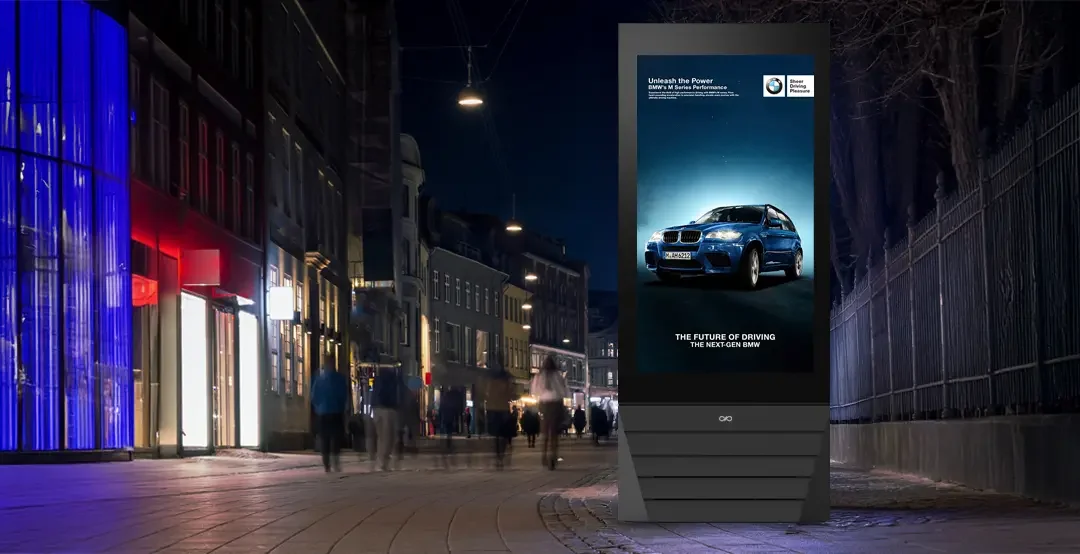
Display brightness is critical in storefronts. A standard screen becomes difficult to read in direct sunlight. Displays exposed to natural light require high-brightness panels (2,500 nits or more) — this is not an optional feature, but a functional requirement.
Product area / department
This is the touchpoint with the greatest potential to influence purchasing decisions. The customer is standing in front of the products, comparing options and asking questions. A kiosk positioned here can provide answers before the question is even asked.
Effective content includes detailed product information, demonstration videos, comparisons between variants, materials and finishes, reviews and matching suggestions. In a furniture store, showing how a sofa looks in three different home environments is far more effective than any written description.
Checkout area
At this point, the customer has already decided to buy — but has not necessarily finished deciding what to buy. It is the ideal touchpoint for up-selling and cross-selling: accessories, extended warranties, related products and loyalty programmes.
Content should be short, clear and relevant to what the customer is about to purchase. A kiosk at the checkout displaying generic content is a missed opportunity.
Waiting area / lounge
This is particularly relevant in furniture and DIY stores, where service times tend to be longer. A waiting customer has attention available. This is the right time for more in-depth content: inspiration, buying guides, tutorials and project ideas.
3. Industry applications: fashion, furniture and DIY
Fashion and apparel
Fashion is one of the sectors where digital kiosks have the greatest potential — and also where they are most often used incorrectly. The main risk is turning the kiosk into a static catalogue: the same effect as a sign, with no added value.
What works in fashion:
- Dynamic lookbooks updated according to season, occasion or weather
- Campaign videos and brand storytelling — customers are not simply buying clothes; they are buying into an identity
- Outfit suggestions related to the product the customer is viewing
- Real-time size and colour availability integrated with inventory management systems
- UGC (user-generated content) and social walls — social proof at the point of decision
In flagship stores and multi-brand retailers, kiosks can also become a digital visual merchandising tool, allowing retailers to shift the focus between specific brands or collections without changing the physical store layout.
DATA
70% of consumers say that in-store digital content influences their purchasing decisions (source: Mood Media). In fashion, where aspiration plays a dominant role, the visual impact of digital kiosks is directly linked to brand perception.
Furniture and home
Furniture retail is where digital kiosks solve a particularly difficult problem: how to show products in realistic environments when the store itself cannot replicate every possible home setting.
Customers entering a furniture store do not simply look at a sofa — they try to imagine that sofa in their own living room. The kiosk becomes the tool that turns that projection into something tangible.
Specific applications include:
- Displaying products in different environments (minimalist, classic, contemporary)
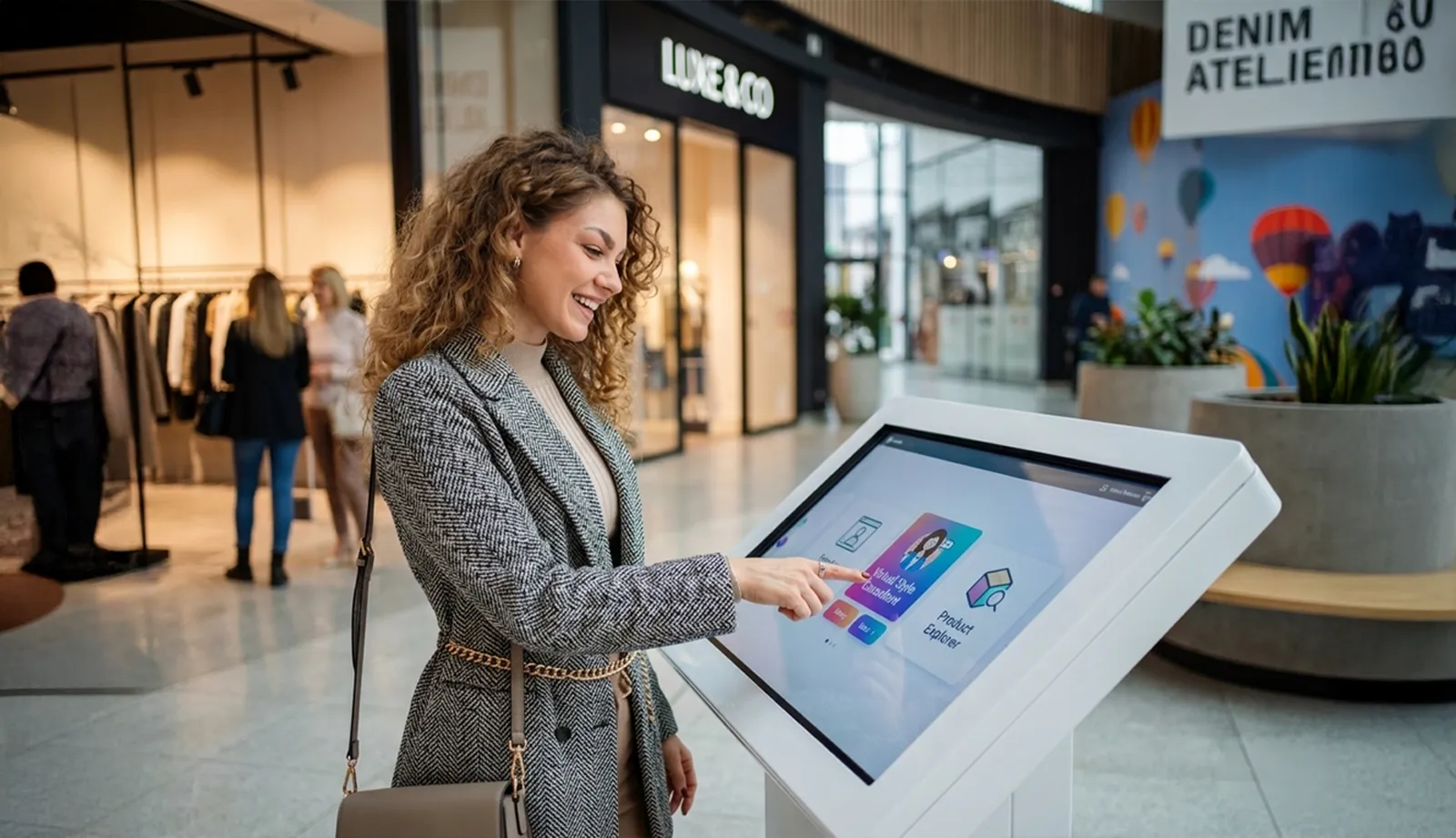
- Product configurators for dimensions, finishes, fabrics and colours — with real-time updated renders
- Material information with texture zoom, certifications and maintenance instructions
- Complete inspirational projects showing an entire room rather than a single product
- Updated availability and delivery times integrated with management systems
In large showrooms, kiosks can partially support staff during the initial exploration phase — customers can navigate options independently and reach the sales consultant with a clearer idea of what they want, allowing consultation time to focus on decision-making rather than basic introductions.
DIY and home improvement
DIY is the sector where the kiosk has its most practical role: not simply inspiring customers, but actively helping them.
Customers entering a DIY store often have a problem to solve without knowing exactly how to solve it. The kiosk can become the starting point of that journey.
High-value applications include:
- Step-by-step tutorials and guides for common projects — installation, assembly and repairs
- Guided product selection: which screw for which material, which paint for which surface
- Smart cross-selling: showing everything required to complete a project rather than just an individual product
- Wayfinding between departments in large stores
- Project-based promotions and bundles rather than single-product offers
In DIY retail, interactive touchscreen kiosks can deliver particularly strong ROI. Customers have a problem, are looking for a solution and are willing to interact. Well-designed content — guiding them from diagnosing the problem to creating a list of required materials — can significantly increase average transaction value.
4. Hardware: what separates a professional kiosk from one that lasts six months
The retail kiosk market has grown rapidly in recent years. And with that growth has come a large number of products that promise a lot but deliver very little over time.
The problem is not the low price itself. The problem is that retail kiosks operate under demanding conditions: they remain switched on for long hours, are touched by dozens of people every day, and are exposed to temperature changes, direct light and daily cleaning. Hardware that is not designed for these conditions simply will not last.
A kiosk that freezes during peak hours, has a screen that loses brightness after a few months or a touchscreen that stops responding accurately is not merely a technical problem. It damages the store’s image — and wipes out the value of the investment.
The hardware variables that really matter in retail:
Professional vs consumer displays
Consumer panels are typically designed for around 8 hours of daily use. A retail kiosk operating for 12–16 hours a day accumulates operating hours rapidly, causing brightness and colour performance to deteriorate much faster.
Professional displays are certified for extended or continuous operation and are designed to maintain their performance over time.
Brightness and readability
In a brightly lit store, a 300–400 nit display can become difficult to read.
Retail environments with strong lighting — particularly near storefront windows — generally require at least 700–1,000 nits.
For storefronts exposed to direct sunlight: 2,500 nits or more.
Structural stability
A kiosk that moves or wobbles when touched creates a sense of poor quality before the content is even read. The structure must be solid, with a base appropriate to the weight of the display and the type of flooring.
In high-footfall environments — shopping centres and large retail spaces — resistance to accidental impacts should also be considered.
Thermal management
Electronics generate heat. A system without adequate thermal management may shut down or reduce performance during peak periods — exactly when it is needed most.
Professional kiosks incorporate passive or active cooling systems designed specifically for their operating environment.
Touchscreen: responsiveness and durability
A retail touchscreen must respond accurately even when customers’ hands are not perfectly clean, withstand repeated pressure on specific areas of the screen (such as frequently used menu options), and maintain calibration over time.
Professional capacitive multi-touch panels offer very different performance characteristics from consumer-grade panels used in off-the-shelf products.
DID YOU KNOW?
Kiosk has been supplying digital kiosks for retail since 1996 — before the digital kiosk market even existed as a recognised category. That depth of experience translates into a very precise understanding of what works in the field and what does not, built through years of installations in stores of every type and size.
5. Content: the investment that determines the outcome
Hardware is necessary. Content is what makes the difference.
A professional kiosk with poor content will not deliver results. Excellent content displayed on professional hardware, in the right location and with the right scheduling strategy, can produce measurable results.
The three-second rule
In retail, customers generally give kiosk content only two or three seconds of attention. Within that time, the message needs to be understood — not read.
This means:
- One strong image, not a block of text
- One message, not a list
- One clear action, not a page of options
Content that requires more time — guides, configurators and detailed information — works only at touchpoints where customers have already stopped and actively chosen to interact.
Content scheduling
One of the most common mistakes is uploading content once and never updating it. After a few weeks, regular customers have already seen everything and the kiosk loses its effectiveness.
A professional digital signage system makes it possible to schedule different content according to:
- Time of day (morning/afternoon/evening)
- Day of the week (weekend vs weekday)
- Season and current campaign
- Temporary promotions with automatic activation and expiry
For retailers that use their systems effectively, this flexibility is not optional — it is the difference between a dynamic communication tool and a static screen.
→ Further reading: Dise – Technical Specifications
Integration with management systems
The real step forward comes when the kiosk is connected to store data. Real-time availability, automatically updated prices and promotions activated according to stock levels eliminate the risk of advertising unavailable products or incorrect prices, while reducing the workload associated with content management.
6. CMS: the platform that makes everything work
Digital signage software and the player running on the kiosk are the least visible parts of the system — yet they have the greatest impact on its long-term effectiveness.
Good retail software should allow you to:
- Update content remotely without physically visiting the store
- Schedule content with automatic activation and expiry
- Manage multiple kiosks and multiple stores from a single platform
- Collect interaction data (for touchscreen kiosks): which content is used, when and for how long
- Integrate with existing management systems to provide dynamic content
A CMS that requires the supplier to intervene every time content needs updating is not a tool: it is a dependency.
In retail, where campaigns can change every week, independent content management is a requirement, not an advantage.
7. How much does a digital kiosk for a retail store cost?
The cost of a retail kiosk varies significantly depending on the hardware, software, installation and support required. The main variables are:
The right question is not how much the kiosk costs — but how much value it generates. A properly positioned kiosk, with regularly updated content and reliable hardware, is not simply a communication expense: it is a sales tool with a measurable return.
DATA
Companies that have introduced interactive digital signage in retail stores report an average 25% increase in audience engagement (source: IAB Europe). In retail, where physical footfall is one of the most valuable resources, converting existing visitors more effectively can be worth more than any campaign designed to attract new ones.
→ Pricing guide: How much does a digital signage system cost? 2026 pricing guide
8. Costly mistakes to avoid
Retail digital kiosk projects tend to fail for the same reasons. Understanding these mistakes in advance is worth more than any technical specification.
Choosing the wrong hardware to save money
A consumer-grade kiosk costing a few hundred euros, purchased online and installed independently, may appear to be the economical choice.
In practice, the result is often insufficient brightness, an inaccurate touchscreen, overheating during peak hours and a warranty that does not cover continuous commercial use.
Within six to twelve months, the problem returns — bringing replacement costs and, more importantly, weeks or months of damage to the store’s image.
No content strategy
Installing the kiosk is 20% of the job. The other 80% is deciding what appears on it, how it is updated and according to what strategy.
A kiosk displaying static content that is never updated becomes virtually invisible within a few weeks — regular customers simply stop looking at it.
Wrong location
A kiosk placed in a corner of the store, outside the customer’s natural path, will not be seen. Its location should be designed around the actual flow of people through the space, not simply around where installation is easiest.
Failing to integrate the kiosk with staff
A kiosk does not replace sales staff — it supports them. The best projects are those where people and technology work together: the kiosk handles basic information and initial exploration, while staff focus on consultation and closing the sale.
When staff are not involved in the kiosk strategy, the two elements end up overlapping rather than complementing each other.
Be cautious with suppliers offering standardised “plug-and-play” retail solutions. Every store has its own layout, customer flow and identity.
A kiosk that works well in an electronics store will not automatically work in a furniture showroom. Project design — location, content and updating strategy — matters just as much as the hardware.
9. Designing the right digital kiosk for your retail store
A successful project starts with an analysis of the store: layout, customer flows, communication objectives, existing systems and budget. Only then should the hardware, CMS, positioning and content strategy be defined.
Kiosk works with retailers of every size — from individual boutiques to multi-location chains — with the same focus on designing the project before selecting the hardware. We don’t simply sell kiosks: we design in-store communication systems.
If you are considering a digital kiosk for your store and want to understand what would work in your specific environment, you can start with a consultation. No commitment, no catalogue to browse through.
→ Discover Kiosk solutions for retail: complete guide to digital kiosk models

The first step isn’t choosing a kiosk. It’s designing the in-store experience.
Every store has different customer journeys, customers and objectives. Achieving results requires a proper analysis of the key touchpoints, selecting the right hardware and developing a content strategy capable of supporting customers throughout their purchasing journey.
Kiosk consultants help you design a truly effective solution, from the initial concept through to installation.
Book a call with one of our experts and tell us about your retail project.
Tell us about your project